All your passwords, filled in for you.
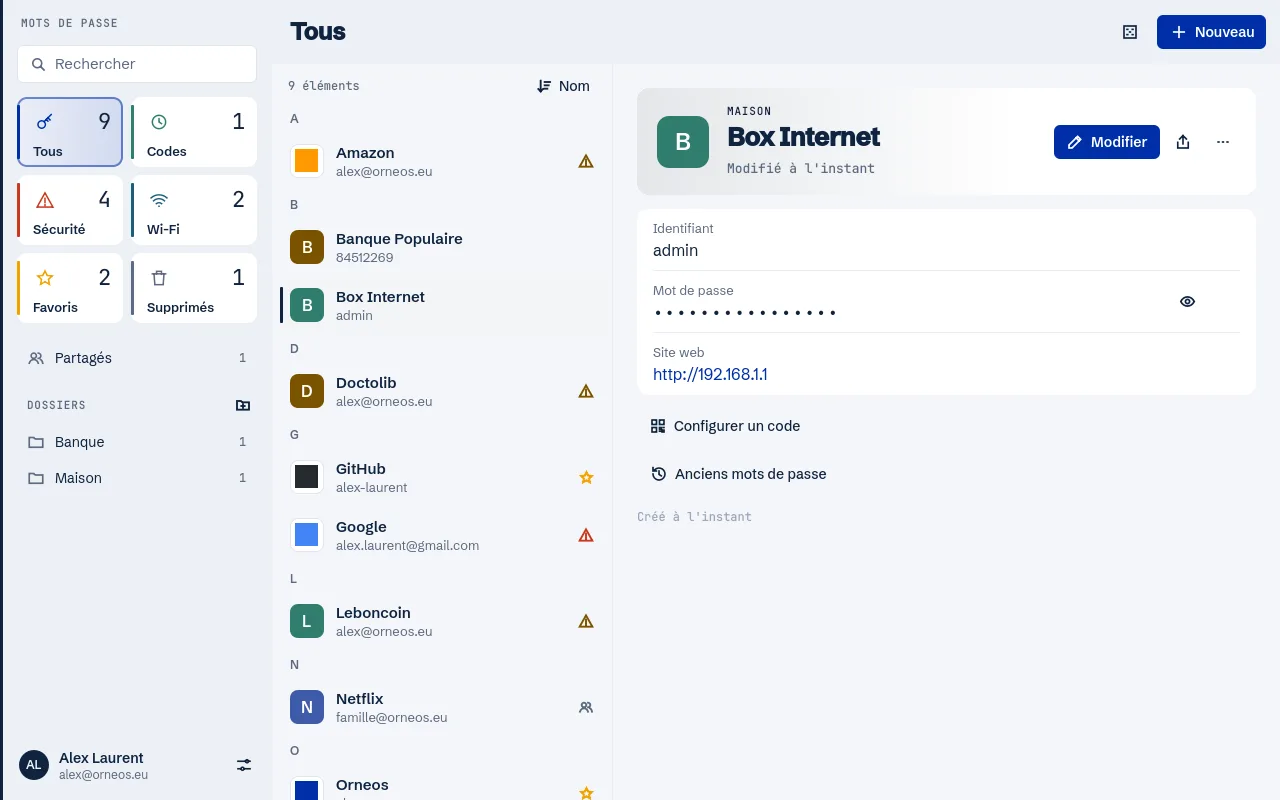
Orneos keeps your logins in your account and offers them on the right sites with the browser extension. A new password is offered for saving, and a strong one at every sign-up.
How it works
Import
From a CSV file, the export format of browsers and most password managers.
Install the extension
For Chrome and Firefox, connected to your Orneos account.
Sign in everywhere
The extension offers the right login and saves new ones.
Autofill in the browser
Only on the right site and over https, never on a page that imitates the real one.
Generator
A strong password offered on sign-up forms.
Security review
Weak, reused or leaked passwords are flagged.
Two-factor codes
In the Passwords app of Plume and Orneos OS, the code is shown next to the password.
Sharing
Share an entry with another Orneos account, like the home Wi-Fi or router.
A real app on your computer
In Plume and Orneos OS: offline, locked by your session password or your fingerprint.
Included in every plan, even the free one.
Frequently asked questions
Can I import my current passwords?
Yes, from a CSV file: it is the export format of Chrome, Firefox and most password managers.
Which browsers are supported?
The Orneos extension exists for Chrome and Firefox. It also installs in Chrome-based browsers that accept extensions from the Chrome Web Store.
Does Ornis see my passwords?
No. When you ask for help in the Passwords app, Ornis only receives site names, never a password.
See also
One minute to try it
Your address is created right away. You remain free to leave with your data.